
Coffeely - Learn about Coffee
CoffeelyFood & Drink
4.246.00 Reviews
- Version
- 6.32.04
- Installs
- 100.00K
- Age Rating
- Teen
Screenshots
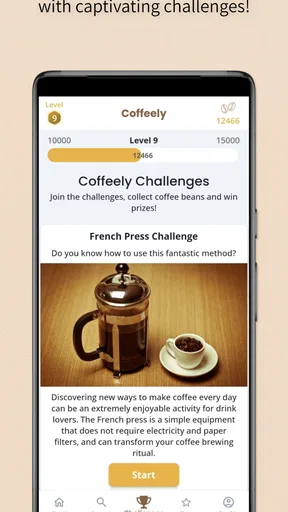
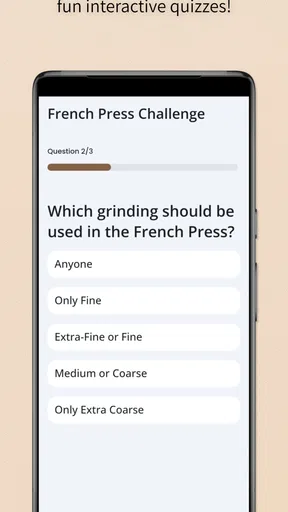
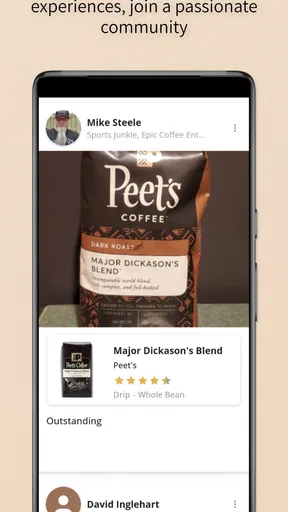
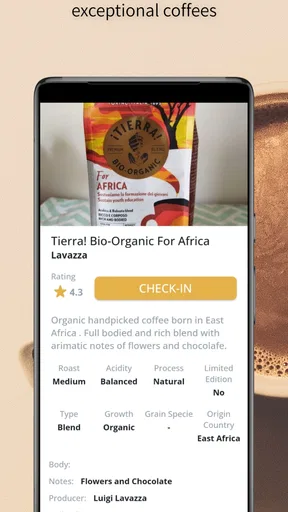
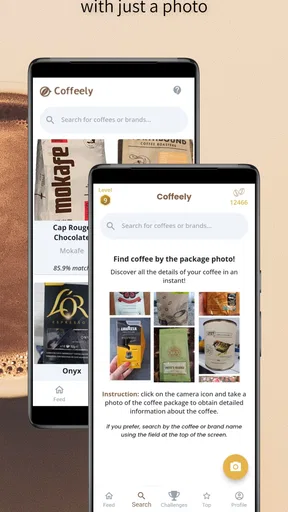
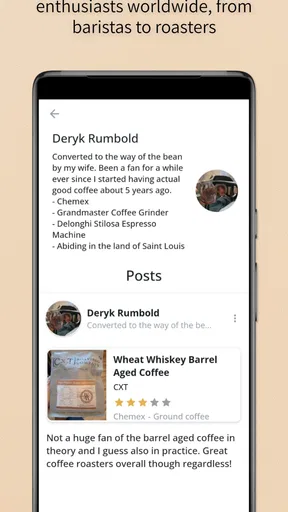
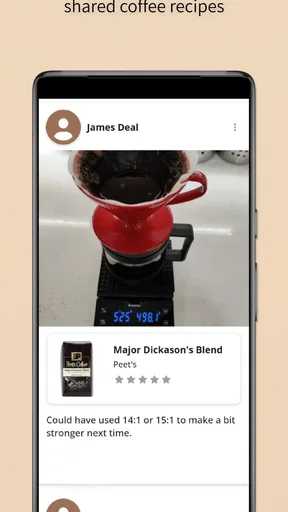
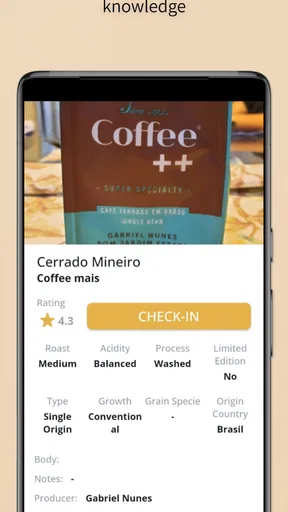
Our Review of Coffeely - Learn about Coffee
 Analysis by Appyee
I came to Coffeely expecting a light coffee-themed app, but its real appeal is more focused: it turns learning about coffee into a personal challenge. It sits in the Food & Drink category, comes from Coffeely, and is free to install, with optional in-app purchases ranging from $1.99 to $19.99 per item. After spending time with it, I see it as a better fit for curious beginners and casual coffee drinkers than for people who already know how to identify origins, processing methods, and brewing variables without help.
The central idea is simple without being completely shallow. You use the app to build your coffee knowledge and test yourself, rather than merely browsing a collection of drink recipes. That makes it useful in small sessions: I could open it while waiting for a coffee to brew, use it during a quiet commute, or return to it when I wanted to remember a term I had encountered elsewhere. The experience feels more like training your coffee vocabulary and recognition skills than using a conventional café finder or recipe book.
Getting past the first points of friction
The first thing I would tell a new user is not to judge the app in the opening minutes. Learning apps can feel vague when you are unsure what the intended rhythm is. With Coffeely, the useful mindset is to treat each session as a short lesson followed by a challenge, not as a reference manual that must be read from beginning to end.
That distinction matters because the store summary presents the app as a way to increase your “Coffeebility” and become a coffee connoisseur, but the practical value comes from repetition. If you rush through prompts simply to finish them, you may remember isolated answers without understanding why they matter. I got more from pausing after an unfamiliar term and connecting it to coffee I might actually drink.
Some users may also get stuck because they expect immediate practical brewing instruction. Coffeely can support a broader coffee-learning habit, but it should not replace a dedicated brewing guide when your immediate question is how to adjust a grinder, calculate a recipe, or troubleshoot extraction. I would use it before or alongside hands-on practice, not as the only source for technical preparation.
The app is marked for Teen users, which is worth keeping in mind for families deciding whether it suits a younger coffee enthusiast. It is also free to start, so trying the basic experience does not require an upfront purchase. The presence of optional purchases means I would still look carefully at any upgrade screen before confirming anything, especially if the phone is shared with children.
What to check before blaming the app
Compatibility is the first sensible check. Coffeely supports Android devices running version 6.0 or later, so an older phone may be the reason installation or updating does not work as expected. On a compatible device, I would first make sure the operating system is current enough for the phone itself, then confirm that the app has finished installing rather than assuming an interrupted store download has completed.
The current version is 6.32.04. If the app behaves differently after an update, I would avoid immediately deleting it. First, close it normally, reopen it, and check whether the problem affects one screen or the whole experience. A single stalled lesson can be a temporary loading issue, while repeated crashes across the app suggest a device, installation, or compatibility problem.
Storage is another easy-to-miss cause of trouble. Even when an application is already installed, a phone with almost no free space can struggle with updates or temporary files. Clearing a little room and restarting the device is a sensible general step before attempting a reinstall. I would also avoid switching rapidly between several demanding apps while testing Coffeely on an older handset.
For a smoother first session, I recommend opening it on a stable connection, allowing the initial screens to finish loading, and then trying a short learning activity before changing settings or leaving the app in the middle of a screen. This is not glamorous advice, but it makes it easier to tell whether a problem is repeatable. A clean first run gives you a reliable baseline for deciding whether the app itself is at fault.
A practical routine for learning instead of tapping
My preferred workflow is to use Coffeely in three passes. On the first pass, I answer naturally and accept that some results will expose gaps. On the second, I revisit the items that felt uncertain rather than replaying everything equally. On the third, I connect the new information to a real drink, bean label, café menu, or conversation.
This approach prevents a common weakness of quiz-style learning: recognizing the correct answer only because it appeared moments earlier. If I encounter a term about a coffee’s origin or preparation, I try to describe it in my own words before moving on. That small delay makes the app more useful as a learning tool and less like a button-pressing exercise.
A realistic everyday example is a Saturday morning at home. I might make my usual coffee, spend a few minutes with Coffeely while drinking it, and then write down one question to investigate later. The app does not need to dominate the morning. Its best role is as a compact prompt that turns an ordinary cup into a reason to notice what I am drinking.
Another good use is preparing for a café visit. I would use a session to refresh basic coffee language, then read the menu with more confidence. That does not mean the app can tell me which drink I will prefer; taste remains personal. It does mean I am less likely to treat every unfamiliar term as interchangeable.
Recovering when a session goes wrong
If a lesson appears to stop responding, I would begin with the least disruptive steps: wait briefly, close and reopen the app, and retry the same action once. If the issue happens only on a particular screen, I would note that detail. If every section fails, I would test the app after restarting the phone and checking the connection.
I would not repeatedly tap a purchase button while trying to recover a frozen screen. Because Coffeely includes optional purchases, patience is especially important around any screen that involves unlocking or confirming content. If a payment prompt appears unexpectedly, back out and decide whether the paid item is actually necessary for the learning goal rather than treating it as part of troubleshooting.
Reinstallation is a later step, not my first recommendation. Removing an app can erase local progress or settings, depending on how that particular installation handles them. I would use it only after the simpler checks fail and only when I am comfortable starting again. The same caution applies to clearing app storage: it can solve corrupted local data, but it may also reset the experience.
When reporting a persistent problem, a useful description includes the phone’s Android version, the Coffeely version, the screen where the problem occurs, and whether it happens every time or only on one attempt. “It does not work” is frustrating for everyone; a reproducible sequence is much more helpful. I would also distinguish between a content question and a technical fault, since an answer that seems surprising is not automatically a loading error.
Knowing when the phone or connection is the real issue
Not every interruption comes from Coffeely. A weak connection can make an app appear frozen, especially during loading or transitions. I would compare behavior on a dependable network before concluding that the application is broken. If other apps are also slow, the wider connection or device is the more likely explanation.
Battery-saving modes can interfere with apps that need to load information while running in the background or switching between screens. I would temporarily test without an aggressive power restriction, particularly on an older phone, then restore my preferred battery settings afterward. The same principle applies to memory pressure: closing unused apps can reveal whether Coffeely is genuinely unstable or simply competing for limited resources.
Notifications, account access, and store updates can also be confused with the app’s own behavior. If an update is pending, I would complete it through the normal app store process rather than relying on an old installation. If the store says the app is current but the phone still behaves oddly, a restart is a safer first move than changing several settings at once.
There is also a human source of friction: expectations. Someone looking for a complete coffee encyclopedia may feel that Coffeely is too guided, while someone wanting a pure recipe tool may find its learning focus indirect. That is not necessarily a defect. It simply means the app’s usefulness depends on whether your goal is building familiarity or solving a precise brewing problem right now.
How it compares with the usual coffee apps
Compared with a recipe-focused coffee app, Coffeely is less useful when I already know what I want to brew and need exact preparation steps. A recipe tool usually wins for immediate action: dose, water, timing, and technique. I would choose that alternative when I am standing beside a grinder and trying to improve one specific cup.
Compared with a café or bean-discovery app, Coffeely serves a different purpose. It is not the tool I would open first to locate a nearby shop or compare available products. Those alternatives are better for decisions tied to place, purchase, or current availability. Coffeely is more personal and repeatable because its value comes from returning to the learning challenge rather than completing a transaction.
Compared with reading articles or watching videos, the app has the advantage of requiring active recall. I have to make a choice, notice uncertainty, and test whether I remember something later. The trade-off is depth. Long-form material can explain context and exceptions more fully, while Coffeely is easier to use in short bursts. I would combine them: use the app to identify weak spots, then use a trusted detailed source when I want a deeper explanation.
Its audience size suggests that it has found a meaningful group of interested users: the app has passed 100K installs and holds a 4.2 average from around 1.2K ratings. Those figures make it look established enough to try, but they do not guarantee that its learning style will match yours. I would pay more attention to whether you enjoy the challenge format than to popularity alone.
Who will get the most from it
Coffeely is a strong match for someone who drinks coffee regularly but still feels lost when people discuss origins, styles, or preparation. It is also suitable for a beginner who wants a gentle way to build confidence without committing to a formal course. Casual learners may appreciate that a short session can have a clear purpose, while dedicated enthusiasts can use it as a memory check between more detailed study.
I can also see value for people who work around coffee or want to feel more comfortable in specialty cafés, provided they treat the app as a foundation rather than professional training. It can help organize curiosity: instead of vaguely deciding to “learn more about coffee,” you have a repeatable activity that encourages you to notice what you do and do not know.
I would skip it if your main need is a shopping database, café navigation, equipment diagnosis, or advanced recipe control. I would also skip it if you dislike quiz-like learning and prefer uninterrupted reading. Free access makes experimentation easy, but the optional purchase range means users who want every available part of the experience should decide in advance how much they are willing to spend.
My practical verdict after using it
What I like most is the app’s clear identity. Coffeely is not trying to be every coffee utility at once. It gives coffee learning a challenge-based shape, which makes it easier to return to than a large reference collection I might browse once and forget. The best results come when I connect its lessons to real cups, menus, and labels instead of treating the app as an isolated game.
The limitations are equally clear. It is not my first choice for hands-on brewing instructions, local discovery, or detailed technical troubleshooting. Some users may need a little patience while figuring out the intended rhythm, and general phone or connection problems can make a session feel less reliable than it really is. Those are manageable issues, but they are worth knowing before you expect a complete coffee companion.
The app was released on December 4, 2016, and its continued presence alongside the current version shows that it has remained available as a focused coffee-learning option. I would install it on a compatible device, begin with the free experience, and use a few short sessions before considering any optional purchase. That gives you enough time to decide whether active challenges genuinely help you remember more.
My recommendation is straightforward: try it if you want to become more comfortable with coffee language and enjoy learning through repeated challenges. Keep another source nearby for recipes, equipment, and deeper explanations. Used that way, Coffeely earns its place as a friendly study companion rather than pretending to replace every other coffee app. For me, that narrower purpose is precisely what makes it worth recommending to a curious friend.
Verdict
Strengths of Coffeely - Learn about Coffee
- Clear lessons make coffee basics easy to understand.
- Useful explanations of beans, roasting, brewing, and tasting.
- Helpful for beginners exploring different coffee styles.
- Compact content is convenient for quick learning sessions.
- Can inspire users to experiment with new brewing methods.
Limitations of Coffeely - Learn about Coffee
- Advanced coffee enthusiasts may find the content too basic.
- Some information may require updates as coffee trends change.
- Learning value depends on how much content is available for free.
- The app may not replace hands-on brewing practice or expert guidance.
- Limited personalization could make lessons feel less engaging over time.
Similar Picks in This Category
View All
Rappi: Food Delivery, Grocery
Rappi, Inc - Delivery3.5

McDonald’s: Cupons e Delivery
Arcos Dorados4.3

Swiggy: Food Instamart Dineout
Swiggy4.7

Blinkit: Groceries & more
Blinkit4.8

foodpanda: food & groceries
Foodpanda GmbH a subsidiary of Delivery Hero SE4.0

Zomato: Food Delivery & Dining
Zomato4.7
Frequently Asked Questions
What is Coffeely - Learn about Coffee?
Coffeely - Learn about Coffee is an educational app designed for people who want to understand coffee better. It introduces users to coffee beans, origins, roasting methods, brewing techniques, tasting notes, and coffee terminology. The app is suitable for complete beginners, casual coffee drinkers, and enthusiasts who want a convenient way to explore the subject from a mobile device.
Is Coffeely suitable for beginners with no coffee knowledge?
Yes. Coffeely is structured to make coffee education approachable, even if you are unfamiliar with terms such as acidity, body, extraction, or roast profile. Its learning content can help users build knowledge gradually, beginning with basic concepts before moving into more detailed topics. It may also be useful for experienced drinkers who want to refresh their understanding or discover areas they have not explored.
What topics can I learn about in Coffeely?
The app covers several important areas of coffee culture and preparation. Depending on the available content and version, users can learn about coffee-growing regions, bean varieties, processing methods, roast levels, flavor characteristics, brewing styles, and tasting vocabulary. This makes Coffeely useful for comparing different coffees, improving your brewing knowledge, and becoming more confident when choosing beans or ordering coffee.
Can Coffeely help me improve my home-brewing skills?
Coffeely can be a helpful educational companion for home brewers because understanding coffee fundamentals makes it easier to adjust brewing decisions. Learning about grind size, water, roast level, extraction, and brewing methods may help you identify why a cup tastes weak, bitter, sour, or unbalanced. However, the app should be viewed as a learning resource rather than a replacement for practical experimentation with your own equipment.
Is Coffeely free to download, and does it require an internet connection?
The download and monetization options may vary depending on whether you use the Android or iOS version and on the developer’s current release. Some features or learning materials may be available for free, while additional content could require in-app purchases or a subscription. It is also worth checking the store listing for offline availability, since certain lessons, images, or updates may require an internet connection.
